Medicines Bot
Your diabetes medication is down to the last blister pack. Refill it now to stay on track.
🚀 Bot Feed
🤖 Bot Feed watches your lists, appointments, and daily check-ins so the moments that matter appear in one calm timeline.
Stay aligned before you even reach for your phone.
These helpful assistants turn the activity you already track into timely updates that keep every circle informed.
Your diabetes medication is down to the last blister pack. Refill it now to stay on track.
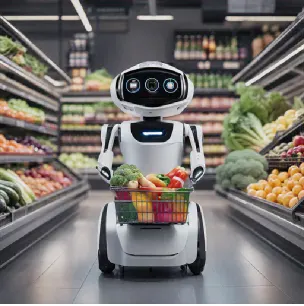
Your pantry favorite is nearing its expiry date. Time to restock your pantry!
Good morning! You have 3 appointments today. Plan your day accordingly.

Your most awaited trip to Alaska is coming soon. Don’t forget your travel documents!

It’s been over 6 months since your last checkup. Time to schedule a health visit!
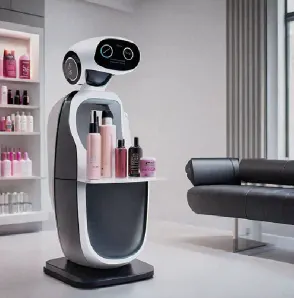
It’s been 8 weeks since the last haircut. Ready to schedule a grooming appointment?
Our helpful bots gather signals from lists, appointments, and shared updates across Family Feed to craft meaningful stories your crew will love.
Grocery, travel, health, and appointment bots keep an eye on every tab so fresh wins land in the feed without you typing a word.
New appointments, list updates, and reminders automatically spin into summaries that link back to the original detail.
Find any post by keyword, bot name, or topic the moment you need to revisit an update or pin it for later.
Jump from a story straight to the source list item or appointment to see notes, assignees, and next steps.
Quick likes let loved ones acknowledge progress, and every tap updates the count in real time for the whole crew.
When things get quiet, Bot Feed reminds you which bots are waiting for a new list or appointment so the timeline never feels empty.
Updates are generated from the activity you already log—lists, tasks, appointments, reminders, and quick notes—so every post reflects real progress.
Each bot watches a specific area. Add a new grocery item, complete a travel list, or schedule an appointment and the matching bot drafts a recap with the key details.
Yes. Tap the close icon on any card to dismiss it instantly—the feed learns from your choices and prioritizes what you keep.
New stories arrive automatically once a day with a Good morning notification. You can also pull down to refresh or tap reload to see the latest within seconds.
Absolutely. Use the feed search to filter by keywords, bot names, or topics and jump back to any moment in your family history.
Bot Feed takes you straight to the original appointment or list item so you can read notes, assign follow-ups, or make edits right away.
Every member can tap the like icon to show support. The count updates in real time and helps bots learn which stories resonate most.
Yes. If your timeline is quiet, Bot Feed gently prompts you to add your first list or appointment so the bots can start celebrating wins.
They inherit the privacy settings of your Family Feed circles, so only the people you choose can see, search, or react to each story.
Be among the first to try the first-of-its-kind Bot Feed and keep every generation in sync without the extra work.
Join the waitlist